> ## Documentation Index
> Fetch the complete documentation index at: https://docs.blinko.space/llms.txt
> Use this file to discover all available pages before exploring further.
# 文本选择工具栏
> 选择任意文本后快速翻译、问答、收藏
 ## 如何使用
1. 在任意应用中选择文本
2. 按 \`Ctrl + \`\` (或设置的快捷键)
3. 点击需要的功能按钮
## 主要功能
* **翻译**:多语言互译
* **复制**:智能复制文本
* **问答**:向AI询问相关问题
* **收藏**:保存为Blinko笔记
## 设置方法
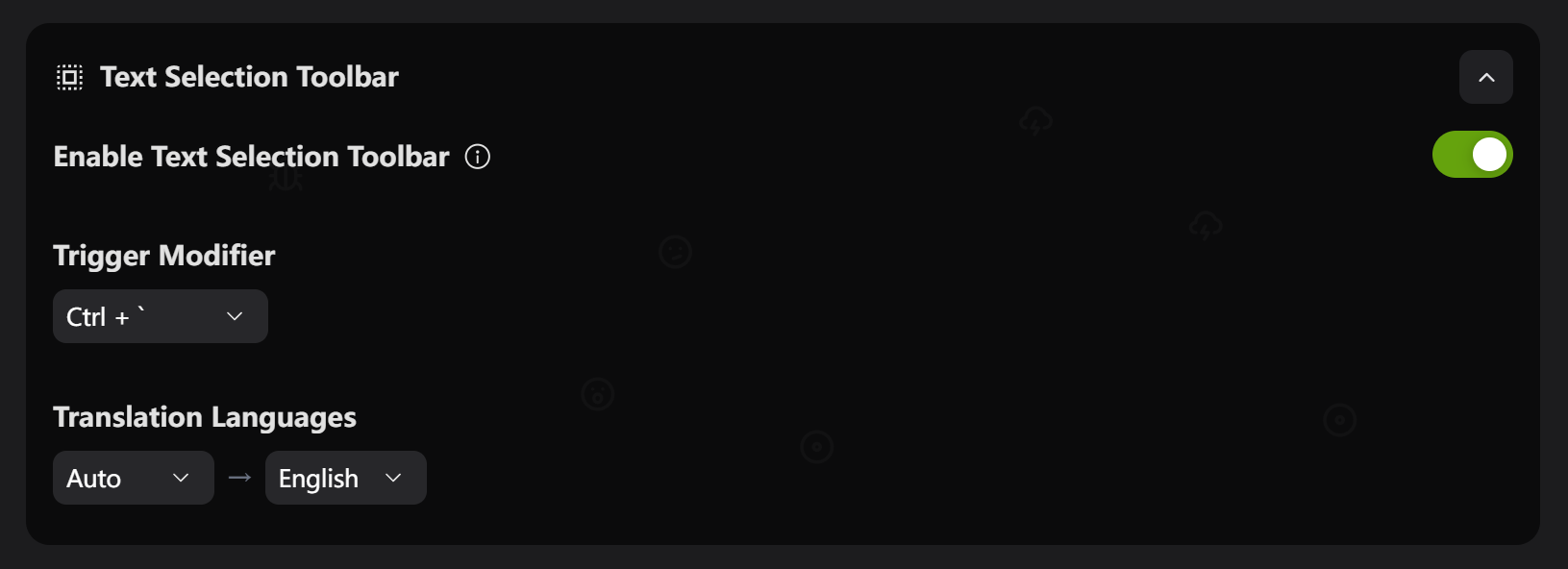
1. 打开设置 → Text Selection Toolbar
2. 开启功能开关
3. 选择触发快捷键:
* \`Ctrl + \`\` (推荐)
* \`Shift + \`\`
* \`Alt + \`\`
## 翻译设置
设置翻译语言对:
* 自动检测 → 中文
* 英文 → 中文
* 中文 → 英文
## 支持应用
几乎所有桌面应用:浏览器、Office、代码编辑器、PDF阅读器等。
## 常见问题
**工具栏不显示?**
1. 检查功能是否启用
2. 重启Blinko
3. 检查应用权限
## 如何使用
1. 在任意应用中选择文本
2. 按 \`Ctrl + \`\` (或设置的快捷键)
3. 点击需要的功能按钮
## 主要功能
* **翻译**:多语言互译
* **复制**:智能复制文本
* **问答**:向AI询问相关问题
* **收藏**:保存为Blinko笔记
## 设置方法
1. 打开设置 → Text Selection Toolbar
2. 开启功能开关
3. 选择触发快捷键:
* \`Ctrl + \`\` (推荐)
* \`Shift + \`\`
* \`Alt + \`\`
## 翻译设置
设置翻译语言对:
* 自动检测 → 中文
* 英文 → 中文
* 中文 → 英文
## 支持应用
几乎所有桌面应用:浏览器、Office、代码编辑器、PDF阅读器等。
## 常见问题
**工具栏不显示?**
1. 检查功能是否启用
2. 重启Blinko
3. 检查应用权限